Chapter 1: The Raw DOM — Where Everything Begins
1.1 Starting From Zero
Po knocked softly and walked into the room. Shifu sat with his eyes closed, a cup of hot tea in front of him.
Shifu, I want to learn React. I've heard it's the best tool for building modern web apps, and I want to know how it works.
React is indeed a sharp sword. But what problem do you want to solve with it?
The problem of... building interfaces? Everyone says code written with it is cleaner and easier to maintain.
To understand "cleaner," we must first experience "chaos." Without the pain, you can't appreciate the cure. Before we start learning React, we need to go back to the beginning.
Back to the beginning?
Yes. Forget all the frameworks. No React, no Vue, no Angular, no Svelte. Please build a Todo List using only raw JavaScript.
Requirements:
- There is an input box and an "Add" button.
- Clicking the button adds the input's content to a list below.
- Clicking the delete button next to a list item removes it.
Only raw JavaScript? That doesn't sound complicated. Let me try.
1.2 Po's Attempt (The Imperative Way)
Po opened his editor and created index.html and app.js. After a while, he showed his work.
HTML:
<!DOCTYPE html>
<html>
<body>
  <div id="app">
    <h1>My Todo List</h1>
    <input type="text" id="todo-input" placeholder="Add a task">
    <button id="add-btn">Add</button>
    <ul id="todo-list"></ul>
  </div>
  <script src="app.js"></script>
</body>
</html>
JavaScript (app.js):
const input = document.getElementById('todo-input');
const addBtn = document.getElementById('add-btn');
const list = document.getElementById('todo-list');

addBtn.addEventListener('click', function() {
  const value = input.value;

  if (!value) return; // ignore empty values

  // 1. Create the li element
  const li = document.createElement('li');

  // 2. Create a text node
  const text = document.createElement('span');
  text.textContent = value;

  // 3. Create delete button and bind event
  const deleteBtn = document.createElement('button');
  deleteBtn.textContent = '×';
  deleteBtn.className = 'delete-btn';
  deleteBtn.addEventListener('click', function() {
    list.removeChild(li);
  });

  // 4. Assemble and add to ul
  li.appendChild(text);
  li.appendChild(deleteBtn);
  list.appendChild(li);

  // 5. Clear the input
  input.value = '';
});Shifu, I'm done. The logic is straightforward: get the input, create elements, bind events, insert into the DOM. This is pure JavaScript, isn't it?
1.3 Pain Point Analysis: Imperative Programming
The code works. But Po, what was your way of thinking when you wrote this?
I was thinking in steps. First grab the value, then build a tag, then put it in...
Exactly. This is imperative programming. You act like a foreman, directing the browser like a worker, telling it what to do step by step.
- "Go get that element."
- "Create a new node."
- "Modify its text."
- "Insert it there."
Isn't giving instructions to the computer the whole point of programming?
For simple tasks, this works. But what if the requirements get more complex?
Suppose the requirements change: "When the list is empty, show 'No data'; when there is data, hide that message."
I can add a check at the end of the add and delete logic.
// Po's modified code snippet
function checkEmpty() {
  if (list.children.length === 0) {
    emptyMsg.style.display = 'block';
  } else {
    emptyMsg.style.display = 'none';
  }
}

// Call at end of add logic
addBtn.addEventListener('click', function() {
   // ... add logic ...
   checkEmpty();
});

// Call at end of delete logic
// ... list.removeChild(li); checkEmpty(); ...Good. Second requirement change: "Add a checkbox to each todo to mark it done/undone. Show a real-time stat 'Done X / Total Y' above the list."
Hmm... I'd need to create a checkbox for each li, bind a change event to toggle styles. For the stats, I'd need to traverse all elements in the list on add, delete, and every checkbox toggle...
// Create checkbox
const checkbox = document.createElement('input');
checkbox.type = 'checkbox';
checkbox.addEventListener('change', function() {
  if (checkbox.checked) {
    li.style.textDecoration = 'line-through';
    li.style.color = '#999';
  } else {
    li.style.textDecoration = 'none';
    li.style.color = '#000';
  }
  updateStats(); // update stats on every toggle
});
li.prepend(checkbox);

// Stats function
function updateStats() {
  const allItems = list.querySelectorAll('li');
  const doneItems = list.querySelectorAll('li input:checked');
  statsEl.textContent = `Done ${doneItems.length} / Total ${allItems.length}`;
}

// Don't forget: also call updateStats() on add and delete!Do you see it? With just two requirement changes, your code is already messy. Every time you modify one part of the UI (add, delete, toggle state), you have to remember to update all parts related to it (the empty message and the stats). Miss one updateStats() call and you have a bug.
As the app grows, this manually maintained web of dependencies will tangle like vines and eventually become unmaintainable Spaghetti Code.
I understand now. Manually managing the sync of every state is exhausting.
1.4 Performance Trap: Reflow & Repaint
Beyond maintainability, there's also a hidden cost — performance. When you call list.appendChild(li), the browser doesn't just "draw it on".
What else does it need to do?
It must recalculate the layout (Reflow), determine the position and size of each element, and then repaint. If you operate on the DOM in a loop:
for (let i = 0; i < 1000; i++) {
  const li = document.createElement('li');
  li.textContent = 'Item ' + i;
  list.appendChild(li);
  li.offsetHeight; // forces the browser to immediately compute layout, blocking batch optimization
}
This is like asking workers to re-measure the entire building every time you place one brick. Modern browsers will optimize (batch merging), but this "do whatever you want" style of modification always carries performance risk. Later I'll give you a demo where you can experience the freeze after inserting 5000 tasks at once.
1.5 Lost State (State vs DOM)
Last, and most fundamental. Po, where is the data (State) in this app?
The data... is those li elements in the list? The checked state of checkboxes is also in the DOM.
Right. Your data lives inside the DOM.
- Want to count items? Count DOM nodes.
- Want to read content? Read DOM text.
- Want to check completion? Query the checkbox's
checkedattribute.
This means the DOM is both your View layer and your Model layer.
When the UI gets complex — like a large table or an instant messaging app — you'd need to "scrape" data from thousands of DOM nodes to handle logic. That's a disaster.
So what's the right way?
Separation. Data (State) should be the single source of truth, and the view should be just its projection. When data changes, the view should update automatically to reflect the latest state — not require us to manually patch the DOM everywhere.
But in the age of raw JavaScript, achieving this requires enormous effort.
1.6 Looking Back
Now, do you see the limitations of raw DOM manipulation?
- Imperative: Verbose step-by-step instructions; every requirement change inflates the code.
- Performance: Expensive DOM operations with no awareness of batch updates.
- Coupling: Data and view are mixed together; "truth" is scattered across the DOM.
Yes, Shifu. The more features, the more places that need manual sync, and missing any one is a bug. Writing this way, I'd eventually drown in my own code. How do we improve this?
To escape the burden of instructions, we have to change how we think. Instead of being a foreman dictating "how to do it," we should directly describe "what we want."
Describe "what we want"? If we don't tell the browser step by step what to do, how will it know how to draw?
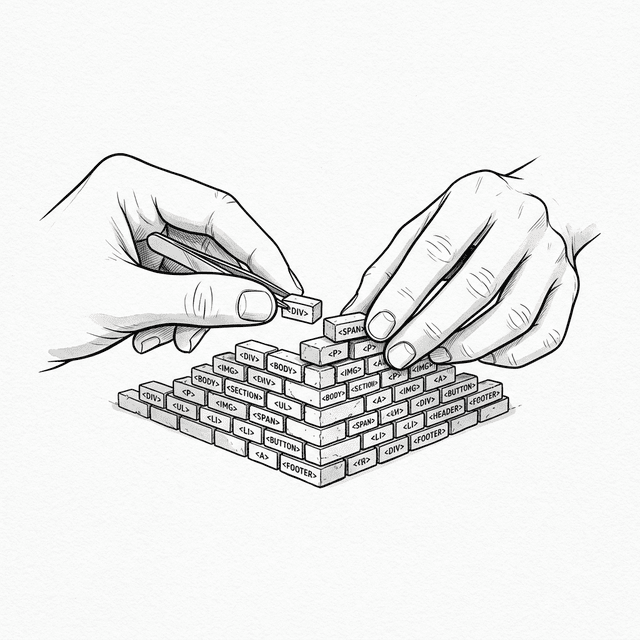
We can think of the interface as a piece of text — a string that describes the structure. Instead of carefully placing each brick, just print the whole wall.
That sounds... a bit crude.
It is. But it opens a new era.
📦 Try It Yourself
Open demoSave the following code as ch01.html to experience the tedious workflow of raw DOM manipulation and the performance freeze of large-scale DOM updates:
⚠️ About the demo below: In the demo code, we deliberately call
li.offsetHeightafter eachappendChild. This forces the browser to immediately compute layout (synchronous reflow), simulating the heavy DOM operations you'd encounter in complex real apps like large data tables or rich text editors. Without this forced reflow, modern browsers would batch DOM operations and the freeze wouldn't be obvious. We use it to make the performance problem clearly visible.
<!DOCTYPE html>
<html lang="en">
<head>
  <meta charset="UTF-8">
  <title>Chapter 1 — Raw DOM Todo List</title>
  <style>
    body { font-family: sans-serif; padding: 20px; max-width: 600px; margin: 0 auto; background: #f9f9f9; }
    .card { border: 1px solid #ddd; border-radius: 8px; padding: 15px; margin: 15px 0; background: white; }
    .card h3 { margin-top: 0; }
    button { padding: 6px 12px; cursor: pointer; margin: 4px; border-radius: 4px; border: 1px solid #ccc; background: #eee; }
    li { padding: 8px 0; border-bottom: 1px solid #eee; display: flex; justify-content: space-between; align-items: center; }
    li .task-content { display: flex; align-items: center; gap: 8px; }
    li.done span { text-decoration: line-through; color: #999; }
    li .delete-btn { background: #ff4444; color: white; border: none; padding: 4px 8px; border-radius: 4px; cursor: pointer; }
    input[type="text"] { padding: 8px; width: 60%; border-radius: 4px; border: 1px solid #ccc; }
    #empty-msg { color: #999; font-style: italic; font-size: 14px; }
    #stats { font-size: 14px; color: #666; margin-top: 10px; }
    .perf-btn { background: #ff4444; color: white; border: none; padding: 8px 16px; cursor: pointer; border-radius: 4px; }
    .perf-btn:hover { background: #cc0000; }
  </style>
</head>
<body>
  <div class="card">
    <h3>My Todo List</h3>
    <div>
      <input type="text" id="todo-input" placeholder="Add a task">
      <button id="add-btn">Add</button>
    </div>
    <p id="stats">Done 0 / Total 0</p>
    <p id="empty-msg">No data</p>
    <ul id="todo-list" style="padding-left: 0; margin-bottom: 0;"></ul>
  </div>

  <div class="card">
    <p style="margin-top: 0;"><strong>Performance experiment:</strong> Click the button below to insert 5000 tasks at once.<br>Watch the browser freeze.</p>
    <button class="perf-btn" id="perf-btn">⚡ Insert 5000 tasks</button>
  </div>

  <script>
    const input = document.getElementById('todo-input');
    const addBtn = document.getElementById('add-btn');
    const list = document.getElementById('todo-list');
    const emptyMsg = document.getElementById('empty-msg');
    const statsEl = document.getElementById('stats');

    // === Pain point 1: Must manually sync multiple UI parts on every state change ===
    function checkEmpty() {
      emptyMsg.style.display = list.children.length === 0 ? 'block' : 'none';
    }

    function updateStats() {
      const allItems = list.querySelectorAll('li');
      const doneItems = list.querySelectorAll('li.done');
      statsEl.textContent = `Done ${doneItems.length} / Total ${allItems.length}`;
    }

    function addTodoItem(text) {
      const li = document.createElement('li');

      const checkbox = document.createElement('input');
      checkbox.type = 'checkbox';
      checkbox.addEventListener('change', function() {
        if (checkbox.checked) {
          li.classList.add('done');
        } else {
          li.classList.remove('done');
        }
        updateStats(); // Don't forget to update stats!
      });

      const contentDiv = document.createElement('div');
      contentDiv.className = 'task-content';

      const span = document.createElement('span');
      span.textContent = text;

      contentDiv.appendChild(checkbox);
      contentDiv.appendChild(span);
      li.appendChild(contentDiv);

      const deleteBtn = document.createElement('button');
      deleteBtn.className = 'delete-btn';
      deleteBtn.textContent = '×';
      deleteBtn.addEventListener('click', function() {
        list.removeChild(li);
        checkEmpty();    // Don't forget to update empty state!
        updateStats();   // Don't forget to update stats!
      });
      li.appendChild(deleteBtn);

      list.appendChild(li);
      // ⚠️ Force synchronous reflow (see note above)
      li.offsetHeight;
      checkEmpty();      // Don't forget to update empty state!
      updateStats();     // Don't forget to update stats!
    }

    addBtn.addEventListener('click', function() {
      const value = input.value.trim();
      if (!value) return;
      addTodoItem(value);
      input.value = '';
    });

    // === Pain point 2: Performance experiment — freeze from many DOM operations ===
    document.getElementById('perf-btn').addEventListener('click', function() {
      const start = performance.now();
      for (let i = 0; i < 5000; i++) {
        addTodoItem('Task #' + (i + 1));
      }
      const elapsed = (performance.now() - start).toFixed(0);
      alert(`Inserting 5000 DOM nodes took: ${elapsed}ms\n\n(During this time, the browser cannot respond to any input)`);
    });

    checkEmpty();
    updateStats();
  </script>
</body>
</html>
Interactive Demo
Open demo
This page runs the original HTML demo for the chapter.
Open demo